
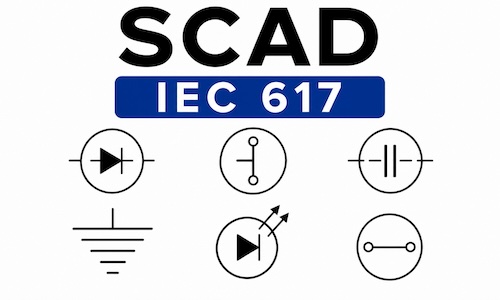
Two Complete Electrical Symbol Libraries
Includes IEC (Metric) & ANSI (Imperial) Standards
The Electrical Blocks IEC / ANSI Bundle includes over 1,450 professionally drawn electrical symbols and AutoCAD blocks organized into two complete pull-down menus—one for IEC and one for ANSI standards. Designed for AutoCAD and AutoCAD LT, the library provides fast access to commonly used electrical symbols for schematic, control, and industrial electrical drawings.
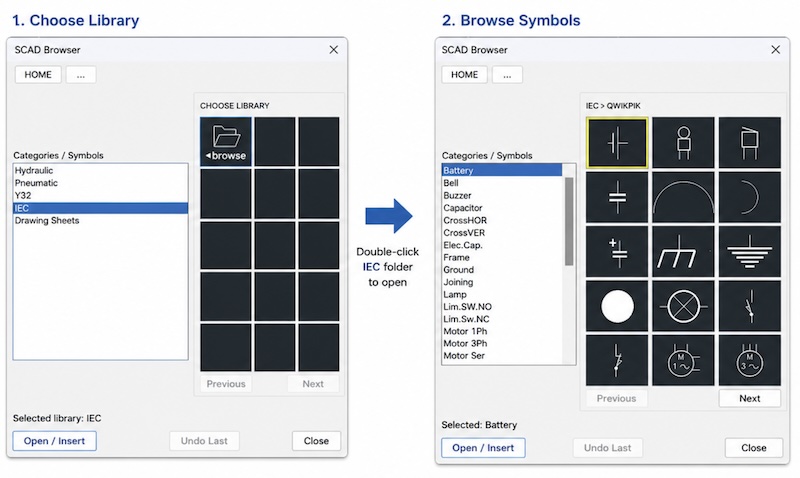
Complete Electrical Symbol Library
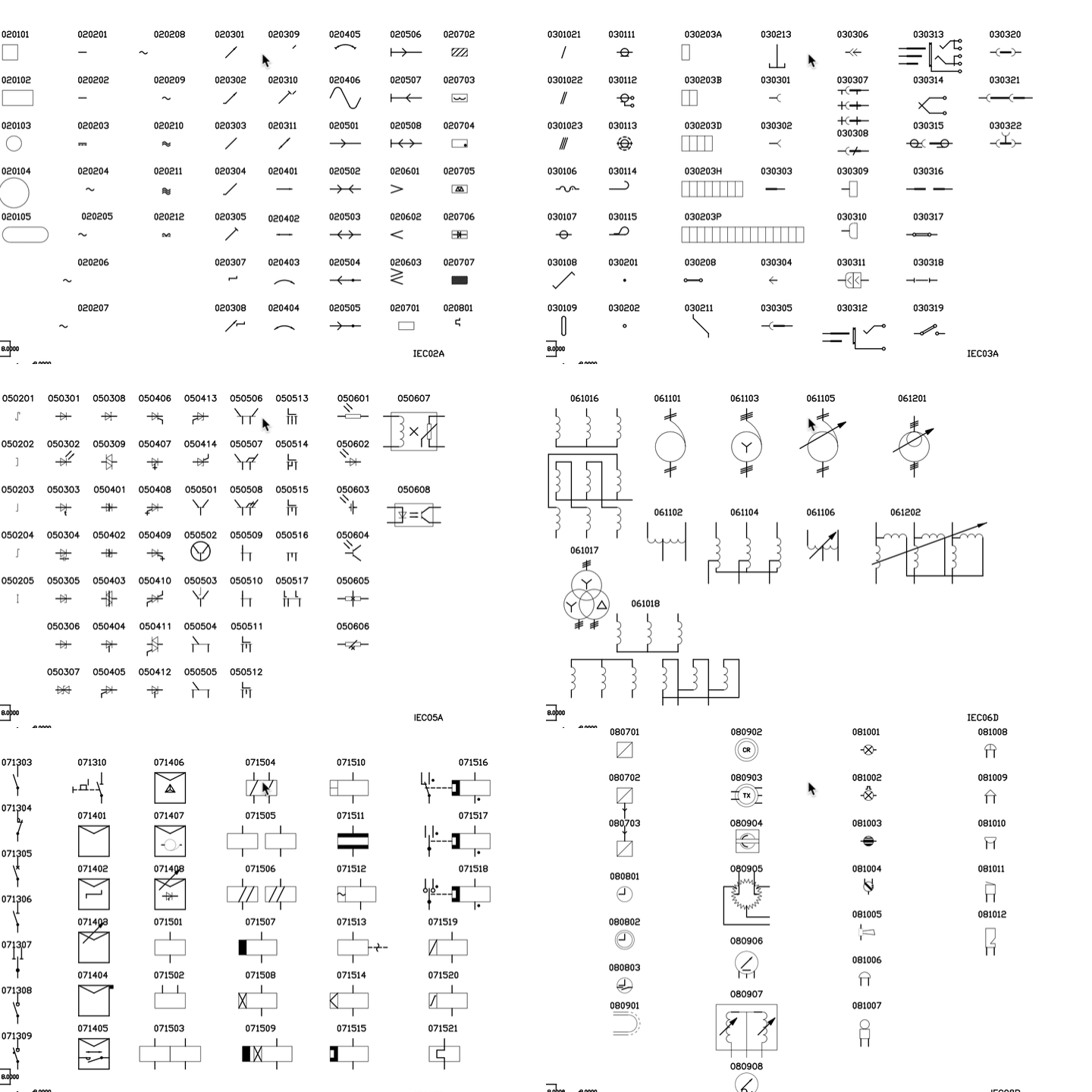
The library includes a comprehensive collection of Electrical Library Blocks and Symbols covering the major sections of the IEC and ANSI standards, including:
- Symbol Elements
- Conductors and Connecting Devices
- Passive Components (Resistors, Capacitors, Inductors)
- Semiconductors
- Power Generation and Energy Conversion
- Switchgear, Control Gear, and Protective Devices
- Measuring Instruments, Lamps, and Signaling Devices
Organized for Faster Drafting
All Electrical Blocks are organized into two easy-to-use pull-down menus with logical categories and descriptive names, making it quick to locate and insert the correct symbol. The library installs directly into AutoCAD and supports versions from AutoCAD R13 through the latest releases, including AutoCAD LT, with future compatibility updates provided.
See more on how to draw electrical circuits video (below).
Professionally Drawn for ANSI & IEC Projects
Every electrical symbol is drawn on Layer 0 with precise snap points and consistent insertion settings for clean, accurate drawings. The IEC electrical symbols are designed for ISO metric drawings, while the ANSI electrical symbols are ideal for imperial drawings, giving you the flexibility to work to either standard.
Using BricsCAD, progeCAD, CMS IntelliCAD, ZWCAD, GstarCAD, or another AutoLISP-compatible DWG CAD program?
No problem. Your purchase includes a categorized LISP Symbol Browser that makes finding and inserting electrical symbols fast and easy.
Simply load the supplied LISP file once using APPLOAD, and you’ll have organized access to both the ANSI and IEC Electrical Symbol Libraries.
- Works with many AutoLISP-compatible DWG CAD programs
- Organized categories for faster block insertion
- Fast access to ANSI and IEC electrical symbols
- Simple one-time LISP setup using APPLOAD
What’s Included
The library contains a wide range of electrical symbols, including:
- Bells, buzzers, horns, and signal lights
- Resistors, capacitors, inductors, and transformers
- Disconnects, fuses, and circuit breakers
- Push buttons, selector switches, and limit switches
- Relay coils, relay contacts, timers, and motor starters
- AC and DC motors
- Logic symbols and solid-state devices
- Terminal blocks and many additional schematic symbols
Instant Download with Free Installation Support
Download your library immediately after purchase. If you need assistance, we also provide free remote installation support to help you get up and running quickly.
Make Electrical Drafting Faster in AutoCAD
Improve your electrical drafting workflow with a professionally organized Electrical Symbol Library for AutoCAD and AutoCAD LT. The Electrical Blocks IEC / ANSI Bundle includes over 1,450 electrical symbols and AutoCAD blocks, giving you fast access to the components needed for control schematics, industrial electrical drawings, and panel layouts.
With two integrated pull-down menus—one for ANSI symbols and one for IEC symbols—you can quickly locate and insert the correct symbol without searching through folders or individual drawing files.
Designed for Professional Electrical Drawings
Whether you’re creating control schematics, machine wiring diagrams, or industrial electrical drawings, the library provides a comprehensive collection of professionally drawn symbols that install directly into AutoCAD.
The library includes:
- Bells, buzzers, horns, and signal lights
- Resistors, capacitors, inductors, and transformers
- Disconnects, fuses, and circuit breakers
- Pressure, limit, float, and pull-cord switches
- Relay coils, relay contacts, timers, and motor starters
- Selector switches and control devices
- Logic symbols and solid-state devices
- Many additional ANSI and IEC electrical symbols
Compatible with AutoCAD and AutoCAD LT
The library supports AutoCAD, AutoCAD LT, and compatible DWG-based CAD programs, providing a simple, reliable way to add professional electrical symbols to your drawings. Whether you’re using an older version or the latest AutoCAD release, the organized menu system helps you work faster and produce consistent, high-quality electrical schematics.
Learn How to Draw Electrical Circuits
Watch our free step-by-step video to see how the Electrical Blocks IEC / ANSI Bundle works in a real drawing. Follow along as we create an electrical schematic using professionally organized ANSI and IEC electrical symbols in AutoCAD.
Whether you’re new to electrical drafting or looking for a faster way to create professional schematics, this video demonstrates how quickly symbols can be located and inserted using the integrated pull-down menus.
Complete Electrical Symbol Library
The library includes a comprehensive collection of professionally drawn electrical symbols, including:
- Relay coils, contacts, and timers
- 1, 2, and 3-pole combination starters
- Induction and commutator motors
- Transformers and logic symbols
- Solid-state devices
- Selector switches with optional cam tables
- Hundreds of additional ANSI and IEC electrical symbols
Every symbol is drawn on Layer 0 with accurate snap points and organized for quick insertion into your drawings. The IEC library is designed for ISO-sized drawings, while the ANSI library supports imperial drafting standards, allowing you to work confidently on either type of project.
Instant Download
Download and start using the library immediately after purchase—no waiting for physical media or activation.
Free Installation Support
Need help getting started? We offer free remote installation assistance to help you install the library and configure the pull-down menus. If you have any questions, call 877-933-3929 and we’ll be happy to help.
Buy with confidence.
Every purchase includes immediate download, free installation assistance, and personal support from our CAD team. If you need help installing the library or getting started, we’re only a phone call away.